


| Quick SummaryMarketing animations turn ideas into short, engaging visuals that help brands explain messages faster and capture attention. This beginner’s guide covers how to choose a style, create, and publish your first animation without needing advanced skills or a large budget. |
Creating marketing animations means turning your message into short, moving visuals that grab attention and explain ideas fast. You do not need a design degree or a big budget to start.
This beginner’s guide walks you through the whole process, from picking a style to publishing your first animated video.
Animation works because people watch and remember motion far better than static text. By the end, you will know how to plan and build your first marketing animation from scratch.
Table of Contents
What Is Marketing Animation, and Why Does It Work?
How to Choose Your Animation Style Based on Your Goal?
How to Create a Marketing Animation, Step by Step?
Where to Use Marketing Animations and How to Measure Success?
What Are the Best Practices for Beginners, Accessibility, and AI?
What Is Marketing Animation, and Why Does It Work?
Marketing animation is the use of animated video or graphics to promote a product, service, or idea. Think explainer videos, animated social ads, moving logos, or short looping GIFs.
It works because motion holds attention and makes complex ideas simple. A quick animated demo can explain in seconds what a long paragraph struggles to show.
The numbers back this up. In Wyzowl’s 2026 video marketing report, 91% of businesses use video as a marketing tool. And 93% of video marketers say it improved how well people understand their product. Better still, 85% of people say a video has convinced them to buy something.
For beginners, that is good news: a short, clear animation can do real work, even on a small budget.
| Why does marketing animation matter?Marketing animation earns attention because motion explains and persuades faster than text alone. |
How to Choose Your Animation Style Based on Your Goal?
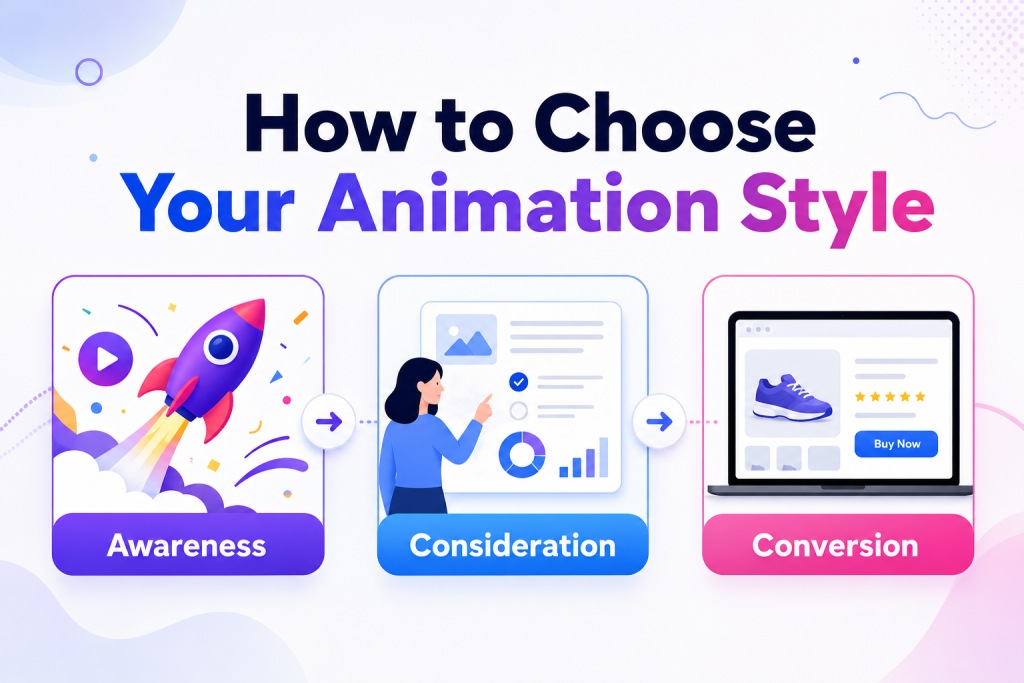
Your goal decides your style, so pick the outcome first and the format second. Match the animation to where your audience sits in the buying journey.
- Awareness: short motion graphics, animated social posts, or looping GIFs that stop the scroll.
- Consideration: explainer or whiteboard videos that break down how your product works.
- Conversion: product demos or kinetic typography that push one clear action.
You do not need every style. Start with the one goal that matters most this quarter, then build a single animation around it. For example, a 15-second GIF can tease a sale. A 60-second explainer can show how your product works. If visuals feel new, a guide to graphic design software for beginners can help you get comfortable.
| How do you choose the right animation style? Pick the goal first; the animation style follows from what you want viewers to do. |
How to Create a Marketing Animation, Step by Step?
Here is the short version: set a goal, script it, storyboard it, build it, then caption and publish. Follow these five steps in order.
- Set your goal and core message. Decide what one action you want viewers to take. Write that goal down before anything else.
- Write a short script. Keep it to 30 to 60 seconds of spoken or on-screen words. Lead with a hook in the first line.
- Storyboard it. Sketch four to six simple frames: hook, problem, solution, and call to action. Stick figures are fine. This step saves hours later, and most beginners skip it.
- Build it with a free animation maker. Choose a template or character, add your voiceover or audio, then let the tool generate the motion. Adjust the background, pacing, and text until it fits your brand. Adobe animation maker runs in your browser, so there is nothing to download.
- Add captions, review, and publish. Caption every line for people who watch on mute. Preview it once on your phone, then export it in the size your channel needs.
Pro tip: save your project file before you export. Then you can tweak one scene later without rebuilding everything.
Do not chase perfection on your first try. A clear 30-second animation beats a polished one that never ships. Each animation you make gets faster and sharper.
| How to create a marketing animation step by step? Set your goal, write a script, storyboard scenes, build the animation, and add captions before publishing. A simple process helps you create engaging videos faster. |
Where to Use Marketing Animations and How to Measure Success?
Put your animations where attention is short, then measure completion rate over raw play counts. The best placements depend on your goal and channel.
Social feeds reward a strong three-second hook and captions, since most videos play on mute. Landing pages use animation to explain an offer above the fold. Email and paid ads use short loops to lift clicks.
For a wider view, see this roundup of digital marketing tools and a beginner’s guide to social media marketing.
Track your view-through rate and how many people click your call to action. Then tie those clicks to real conversions. Give each animation two weeks before you judge the numbers. On budget, doing it yourself mostly costs time, while hiring out costs more but saves hours.
| How do you measure the success of marketing animations? Match the animation to the channel, then judge success by completions and clicks. |
What Are the Best Practices for Beginners, Accessibility, and AI?
Keep your first animations short and easy for everyone to watch. A few habits separate amateur work from animation that performs.
Aim for 30 seconds to two minutes, the length 71% of people told Wyzowl works best. Say one thing per animation, and keep your colors and logo consistent. Design for sound-off viewing by adding captions.
Accessibility matters too. Add captions, respect the reduced-motion setting, and avoid anything that flashes more than three times per second, per accessibility guidelines. These choices widen your audience and lower legal risk.
AI can rough out early ideas and a script, and it speeds up simple motion. But you still own the story and the brand. Adobe Express, an online animation maker, is one option beginners can use to try these AI features.
| How can accessible animations strengthen your brand? Short, on-brand, accessible animations reach more people and protect your brand. |
FAQ
1. What is marketing animation?
Marketing animation is animated video or graphics used to promote a product or brand. It turns a message into motion that sticks with people better than plain text.
2. How do you create a marketing animation?
Set a goal, write a short script, storyboard the frames, build it in an animation maker, then caption and publish. Follow that order and the process stays simple.
3. What are the main types of marketing animation?
Common types include motion graphics, explainer videos, whiteboard videos, kinetic typography, animated logos, and looping GIFs. Pick the type that fits your goal and channel.
4. How long should a marketing animation be?
Aim for 30 seconds to two minutes. In Wyzowl’s survey, 71% call that range most effective, and shorter clips hold attention better on social feeds.
5. How much does a marketing animation cost?
It can cost nothing but your time with free tools, or more if you hire a pro. Start free, then invest once you see results.
6. Do you need design skills to make marketing animations?
No. Templates and beginner tools handle the hard parts, so you can build a clean animation without formal design training.
7. Can AI create marketing animations?
Yes. AI can suggest scenes and tighten your script, and it handles basic motion. You still guide the story and the final edit.
8. Where should you use marketing animations?
Use them on social feeds, landing pages, emails, and paid ads. Match each animation to the channel and the goal behind it.
Conclusion
Creating marketing animations comes down to a simple, repeatable process. Set one goal, then script and storyboard your message. Build it in an online animation maker, and publish where your audience already scrolls.
Skip the studio and the budget. A clear message and a little practice carry your first animations. Pick one goal this week and build a single 30-second animation. Your next campaign will feel far easier once you do.
